TURKEY · MEDICAL DEVICES
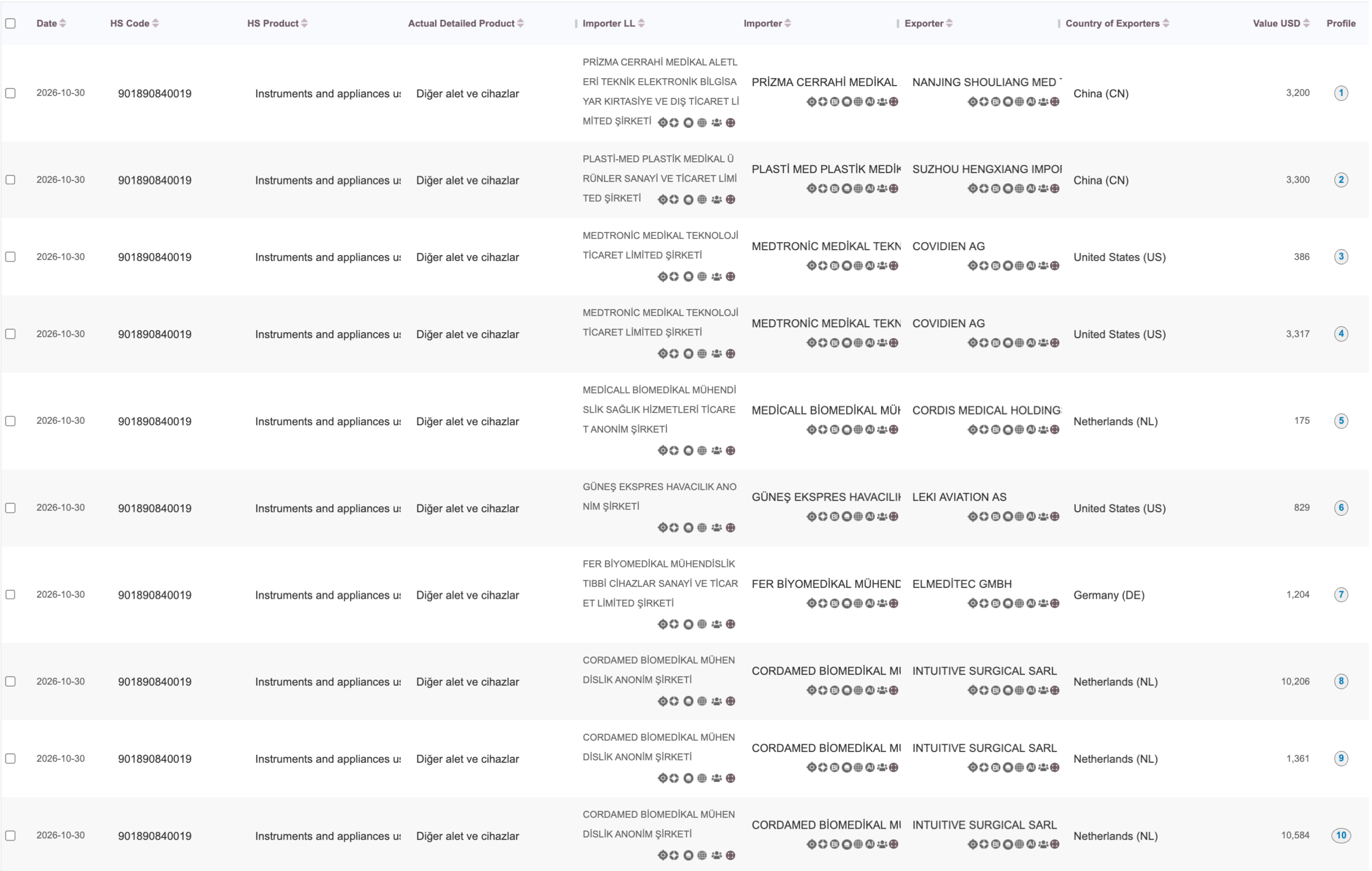
30 October 2026 · HS 901890840019Read the recorded importer and exporter
Importer shownMEDTRONİC MEDİKAL T…
Exporter shownCOVIDIEN AG
Selected row 03 · USD amount shown$386
 Open the full-size Turkey screenshot ↗
Inspect existing shipment examples and learn which fields to confirm. Request a product-matched sample before choosing a larger research scope.
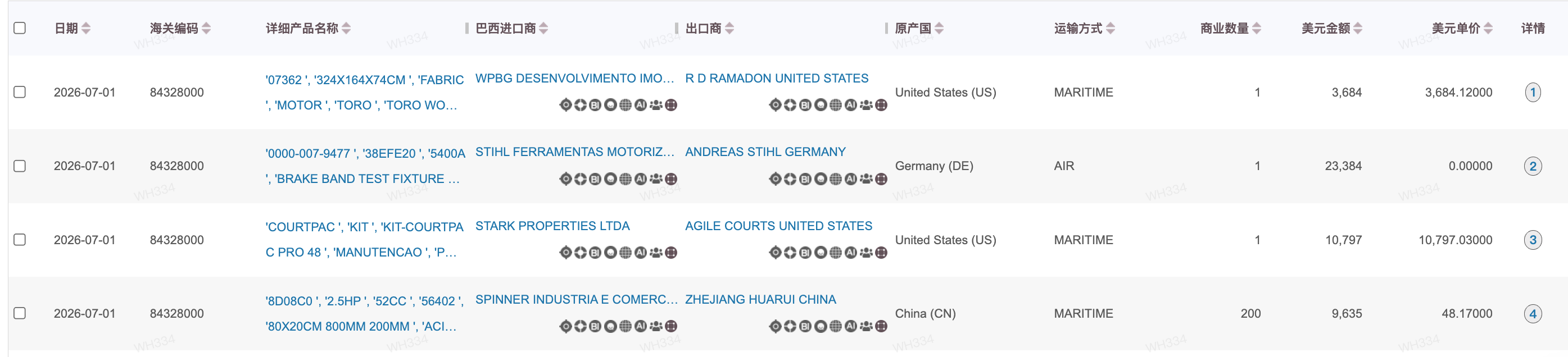
Two existing examples show the company and product fields available in those source views. The screenshots retain their original Chinese interface.
Open the full-size Turkey screenshot ↗The original screen shows goods descriptions, importer and exporter fields, transport mode and USD amounts. Read the fields together when assessing product fit.
 Open the full-size Brazil screenshot ↗
Read the importer and exporter labels exactly as shown. A named party is a research starting point; check its business role before treating it as a purchasing target.
Click the original screenshot to enlarge it. The screen retains its original labels and values; field availability differs by source and market.Define your own sample scope →Share your product and target market. We will confirm available dates and fields before preparing a relevant sample.
Compare HDPE, LDPE and LLDPE trade flows, then inspect importer-name rankings and three buyer–supplier product examples. China statistics and filtered Indonesian records are shown separately.
Read the PE market analysis →| Field | What to read | What to confirm |
|---|---|---|
| Consignee | The receiving party named in the record. | Confirm its full identity and whether it is an operating buyer, intermediary or affiliate. |
| Shipper | The sending party named in the record. | Check its business role before calling it the manufacturer or current supplier. |
| Goods description and HS field | Product text and any code included in the source view. | Read the full description; check the code source, version and product fit. |
| Date | A date associated with the source record. | Ask whether it means arrival, departure, filing or another event. |
| Quantity and weight | Measurements in the source, where available. | Confirm units, packaging and whether weight is gross or net. |
| Value | A monetary field, if supplied. | Confirm whether it is declared, estimated or derived before comparing records. |
| Country and port | Location fields with source-specific definitions. | Distinguish exporter country, loading location, origin and destination. |
| Record or bill identifier | An identifier for reviewing the source. | Check how lines, bills, amendments and duplicates are handled. |
| Before using the sample | What to confirm |
|---|---|
| Does it match my product? | Full goods description, specifications, keyword and relevant code. |
| Does it identify the right company? | Complete party names, available addresses and business roles. |
| Does the time window fit? | Date definitions, available period and gaps or updates. |
| Can I compare the measurements? | Quantity units, weight basis and source of any values. |
| What can I receive next? | Available fields, research scope, delivery format and terms. |
Describe your product, importing market, preferred dates and the fields you need. We check the available scope before discussing delivery.
Tell us your product and target market. We will confirm available fields and dates, then share relevant record screenshots or arrange a demonstration.